
 Tara Sethi
Evolving AI Beyond Chat
A chat-only concept for an IT management solution left users unsure what to ask. I led the design of a hybrid model that pairs a working canvas with an intelligent chat, so users can act on their data and ask questions in the same place.
- Role
- Ideation Design Lead
- Collaborators
- Supporting Designer, Research Lead, and Product Management
- Methods
- Research synthesis, conference observation, brainstorming, user flows, prototyping, and user interviews and walkthroughs
- Scope
- Concept design for next-generation experience
- Status
- Adopted as the vision for future releases
The visuals in this case study are representational illustrations. The actual designs are confidential.
Project Timeline
- Identified the problemResearch and conference feedback showed users were unsure what to ask and what to trust.
- Brainstormed and ideatedGathered inspiration and explored different design patterns until reaching a proposed framework.
- Tested real workflowsLeveraged knowledge of existing use cases to evaluate the proposal.
- Prototyped and testedConducted user interviews and walkthroughs to test the interaction patterns.
- Refined and documentedImproved designs based on feedback and documented the next-generation framework.
- Set the product visionProduct management adopted the model as the vision for future releases.
The Problem
The starting point was a chat-only experience for a next-generation IT management solution. Several earlier studies showed that users were unsure what to ask, and did not expect to have to query for basics such as the status of their infrastructure inventory. At Dell Technologies World, Dell’s annual customer conference, a colleague and I saw the same reactions, along with skepticism about whether customers would trust the solution. This led our ideation team to pick up the work.
The Idea
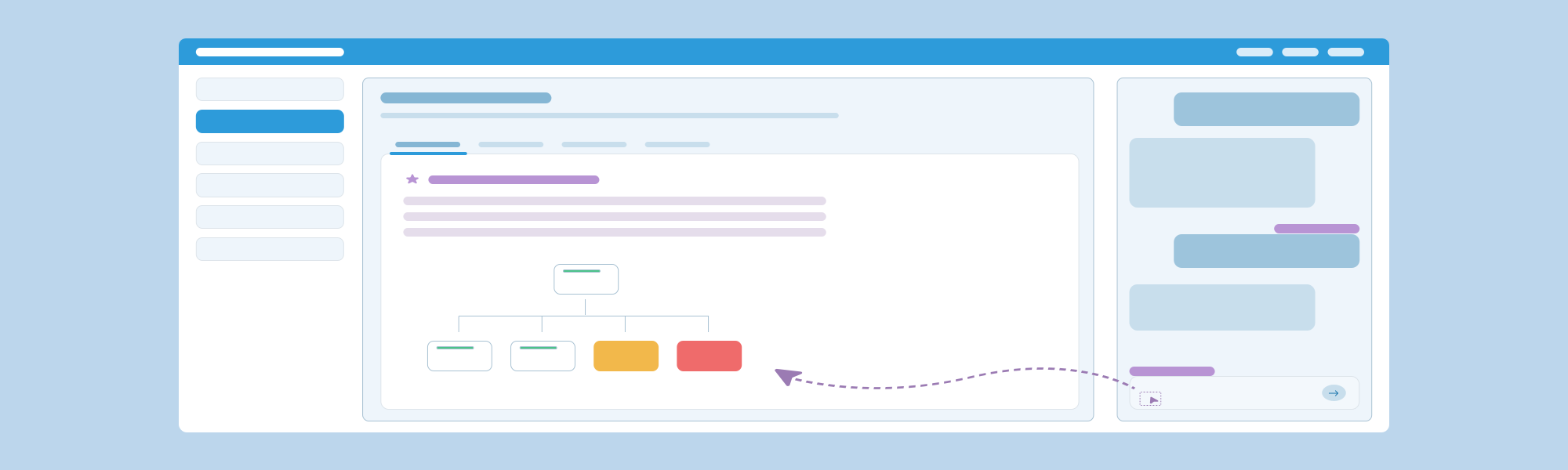
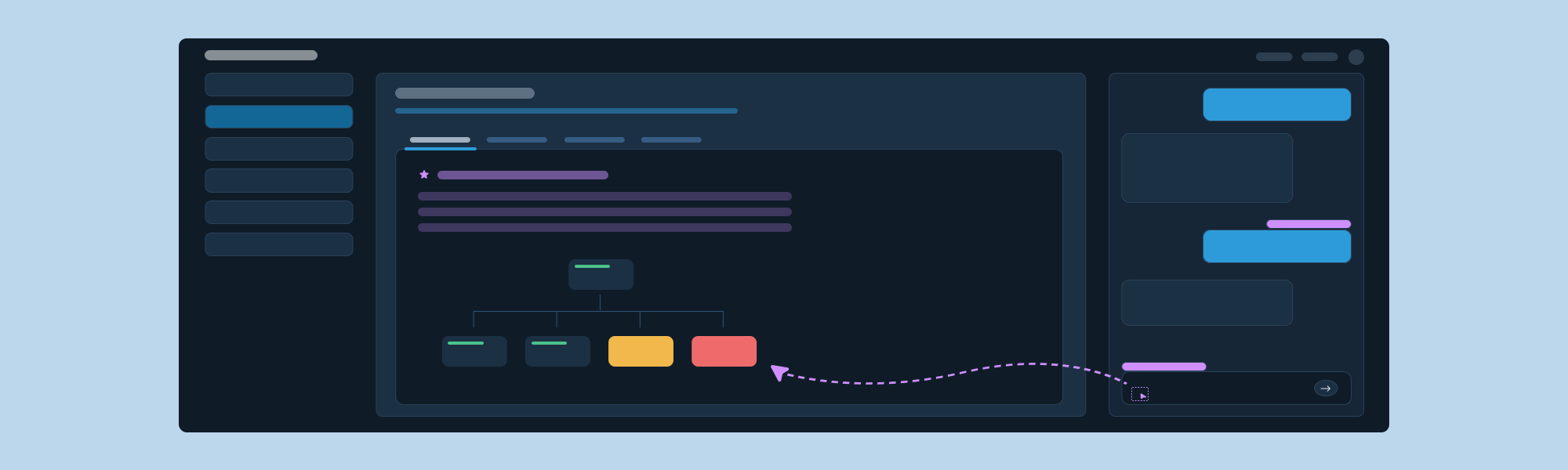
Drawing on prior research and the customer reactions at the conference, we designed a hybrid interaction model that pairs a working canvas with an intelligent chat. The canvas keeps what users already trust: the familiar navigation and main pages for critical information, with defaults based on what we know about their needs. Chat sits alongside it, so users can ask questions, get insights, and generate artifacts right next to the data they are acting on.
Testing Real Workflows
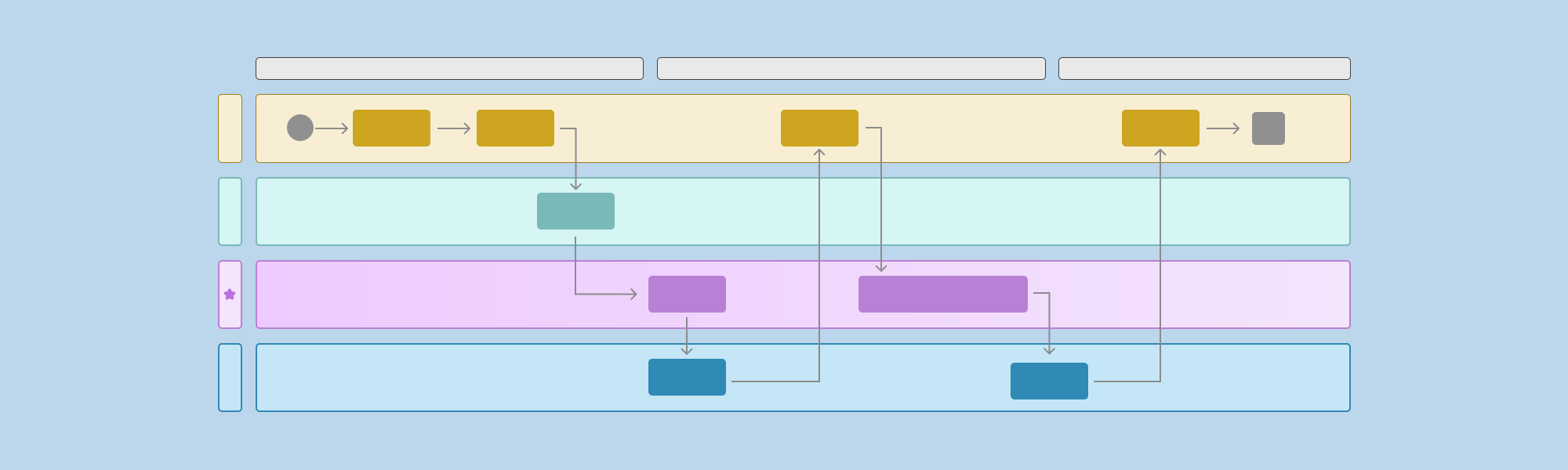
To check that the model could carry real work, we identified use cases from the legacy product customers use today and examined how the new interaction model could support those existing workflows. For each use case, we created a user flow with swimlanes covering the user interaction, the agentic layer, and the system behavior.
Validation
After several design iterations, we built a prototype and tested it with representative users through interviews and walkthroughs. Participants responded favorably to the hybrid layout. They trusted the content on the canvas and saw chat as a way to go deeper when needed. Participants also expressed interest in using an experience like this in their own work. We used the feedback to refine both the designs and the chat patterns.
Interaction Patterns
Hybrid
Chat docked beside the canvas. Users can compare, select, and act without losing context.
Expanded Chat
The expand control lets chat span the full canvas area, replacing it for long reports and charts.
Collapsed Chat
Chat closes to a slim rail with New Chat and Recent Chats entry points. The canvas takes the full width.
Illustration only. Select an image to enlarge it.
Research Insights
A majority of participants preferred embedded AI over a full chat view for everyday use, especially when working on an IT issue or looking up more information. Participants did note scenarios where the expanded chat view would still be valuable, such as sharing or presenting, planning or brainstorming, reading more easily, and revisiting a thread.
Chat Patterns
Based on these findings, we documented chat patterns in three areas. Each one answers a specific user need.
Thread and Layout
User NeedUsers working in a split view need to stay oriented as answers arrive and as they move through the application.
- Anchor each response at its start. Users never hunt for where an answer begins, which reduces cognitive load, especially in the hybrid layout.
- Let users choose how much room chat takes. Moving between the hybrid layout and full-width chat supports both quick lookups and longer reading.
- Keep the conversation continuous. The thread carries across the application until the user starts a new one, and answers reflect the page they are on, so they never have to re-explain where they are.
Responding vs. Acting
User NeedUsers need to know, before they click, whether something will change their system or simply generate a response.
- Separate acting from answering. Recommended next steps, suggested prompts, and links each have a distinct pattern, so users can tell whether chat will act, answer, or take them somewhere else.
- Keep actions predictable. Anything that changes the system is distinguished from a response, and destructive actions always require confirmation.
- Keep users in control of navigation. Chat can suggest where to go, but it never takes users there on its own.
Context Selection
User NeedIn IT applications, the names of systems, incidents, and components can be long, and typing them is slow and error-prone.
- Let users point instead of type. Selecting something on the canvas lets them ask about it directly, which reduces typing.
- Make the scope visible. Users can see what chat is responding to before and after they send a message.
Outcome
- Documented the next-generation framework and chat patterns for the hybrid experience.
- Built an interactive prototype to demonstrate the vision to product management.
- Product management signed off on using this framework as the vision for future releases of the next-generation product.